← BACK TO HOME
CASE STUDYDEPLOYED

Voisu

SystemsROLE — SYSTEMS BUILD

A dictation daemon for the Linux desktop, written in Rust. Press the trigger key anywhere, speak, and the transcript is inserted into whatever window you were already typing in. Installs from dnf, AUR or apt.

RUSTWAYLANDSYSTEMDXDG PORTALS
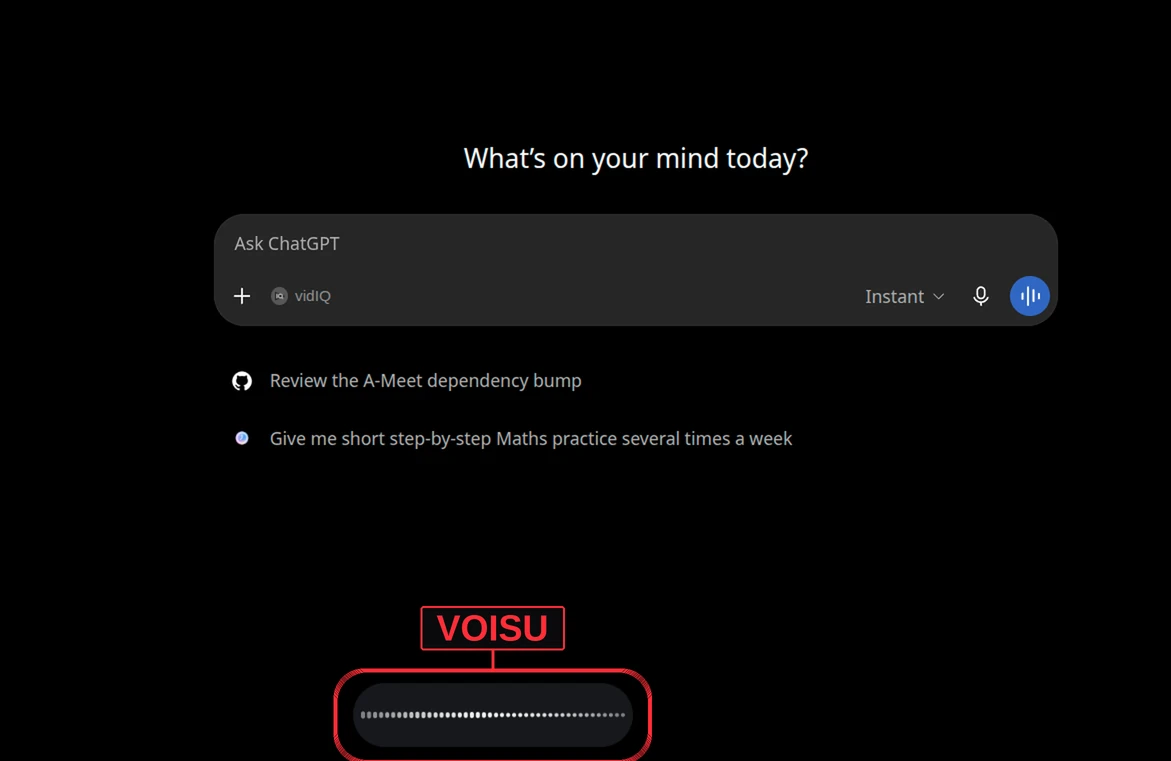
voisu — live overlay
Voisu — live preview

PROOF

MEASURED, SOURCED
397
COMMITS ON MAIN
GitHub API — repos/Anuraj-dev/voisu/commits
13 DAYS
FIRST COMMIT TO LATEST
GitHub API — 15 to 28 Jul 2026
55 / 56
PULL REQUESTS MERGED / OPENED
GitHub search API — repo:Anuraj-dev/voisu is:pr
OPEN REPOSITORY EVIDENCE (3)
93.1%
RUST BY BYTES
GitHub API — /languages, 1.82 MB of 1.95 MB
3
NATIVE PACKAGE CHANNELS
Repository README — COPR, AUR, signed apt
104
FILES TRACKED ON MAIN
GitHub API — git/trees/main?recursive=1

THE PROBLEM

WHAT NEEDED SOLVING

Dictation is a solved problem on macOS and Windows and an unsolved one on Linux, for a structural reason rather than a lack of effort. Wayland deliberately refuses to let an application read the keyboard while it is unfocused or type into a window it does not own — the two capabilities a dictation tool is built out of. Anything that works has to ask the desktop's portal for perproject instead, and the portals disagree with each other: KDE and GNOME present a dialog, Hyprland presents nothing, X11 has no such interface at all. The second half of the problem is distribution. A dictation tool that a user has to clone, create a virtualenv for, and start by hand is a script, not an application on their machine.

THE APPROACH

HOW IT WAS BUILT

Voisu runs as a set of systemd user services rather than a login-session process, so it is supervised, restartable, and — deliberately — not auto-started until the user enables it. The trigger key is registered through the desktop's xdg-desktop-portal GlobalShortcuts interface, which is the only sanctioned way to hold a key binding while unfocused, and the transcript is injected through the RemoteDesktop portal. Rust was chosen mainly for what it does to distribution: it compiles to a single native binary with no interpreter and no runtime to ship alongside it, which is precisely why the same artefact drops into a Fedora COPR, an AUR package and a GPG-signed apt repository, and why installing it is one package-manager command with no dependency chain behind it. For a process that stays resident for the length of a login session, having the compiler reject whole categories of fault before the binary exists is worth more than it would be in a short-lived script.

FIELD NOTES

PROBLEMS HIT — AND RESOLVED
  1. 01

    WAYLAND WILL NOT GIVE YOU THE KEYBOARD

    A global hotkey is exactly what a compositor is designed to withhold, so the trigger key has to be requested from the desktop's portal rather than grabbed. That works on KDE and GNOME, where a system dialog appears once and the choice persists. Hyprland's portal registers the shortcut but shows no dialog by design, so the binding has to be read back with hyprctl and declared in the user's config; plain wlroots portals do not implement the interface at all. Rather than claiming uniform support, each desktop gets a documented path and the unsupported combinations are named as unsupported.

  2. 02

    NO UNIVERSAL WAY TO TYPE INTO ANOTHER WINDOW

    Insertion depends on the RemoteDesktop portal, and Hyprland's implements no such interface — which means Voisu's only text-injection path does not exist there, and no amount of engineering inside Voisu creates it. The honest resolution was a documented fallback rather than a silent failure: delivery switches to the clipboard, the transcript is always available there even when insertion succeeds, and the limitation is stated in the install docs instead of being discovered by the user.

  3. 03

    ONE BINARY, THREE PACKAGE MANAGERS

    Being installable is a feature, and it is the one most side projects skip. Voisu ships through a Fedora COPR, through the AUR as both a prebuilt and a from-source package that deliberately conflict so a user cannot install both, and through an apt repository signed with a published key whose fingerprint is documented for the verified install path. A self-contained binary is what makes three native packages tractable for one maintainer; there is no runtime to package, version or conflict with the system's own.

  4. 04

    THE WINDOW YOU SPOKE TO MAY NOT BE THE WINDOW YOU GET

    Dictation has a gap between the trigger and the transcript, and a user does not sit still inside it — they alt-tab, a notification steals focus, a dialog opens. Inserting the text into whatever happens to be focused when the transcript lands is not a cosmetic bug: it types a sentence the user believed was going somewhere else, which for a password field or the wrong chat window is a disclosure. A focus guard checks that the destination is still the window the recording started in, and a guarded delivery mode makes that refusal the default behaviour rather than an option.

  5. 05

    A DAEMON THAT HAS TO EXPLAIN ITSELF

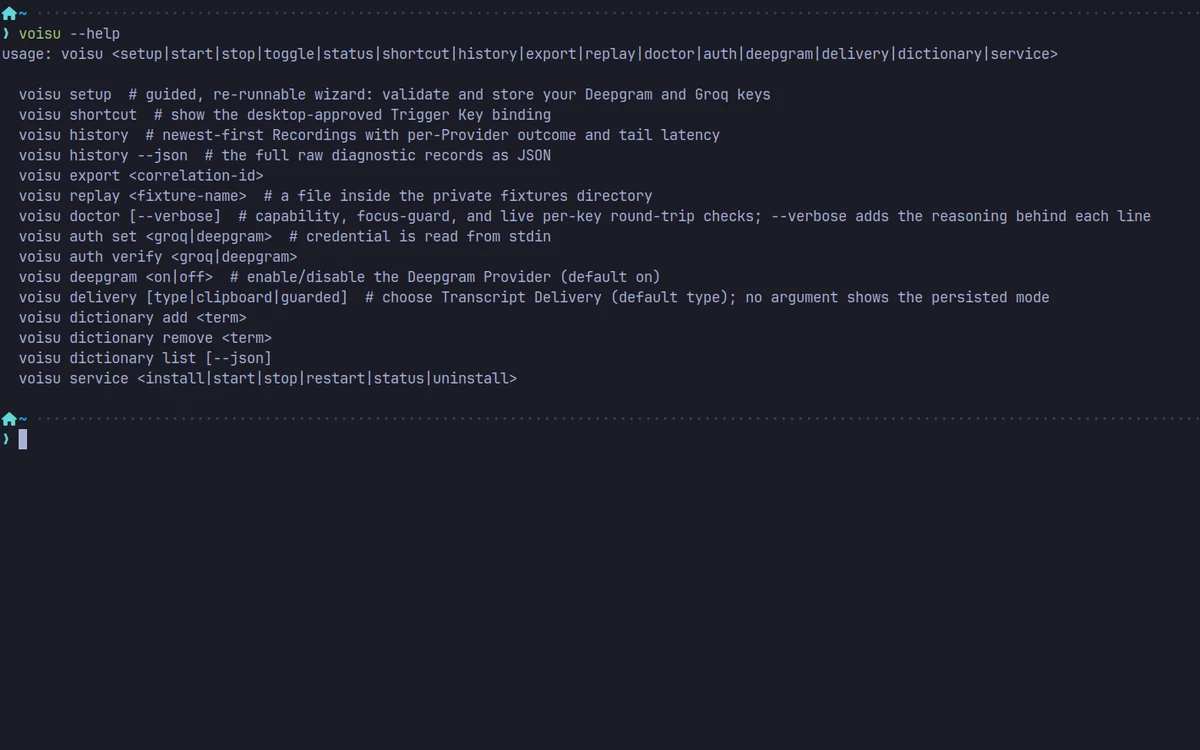
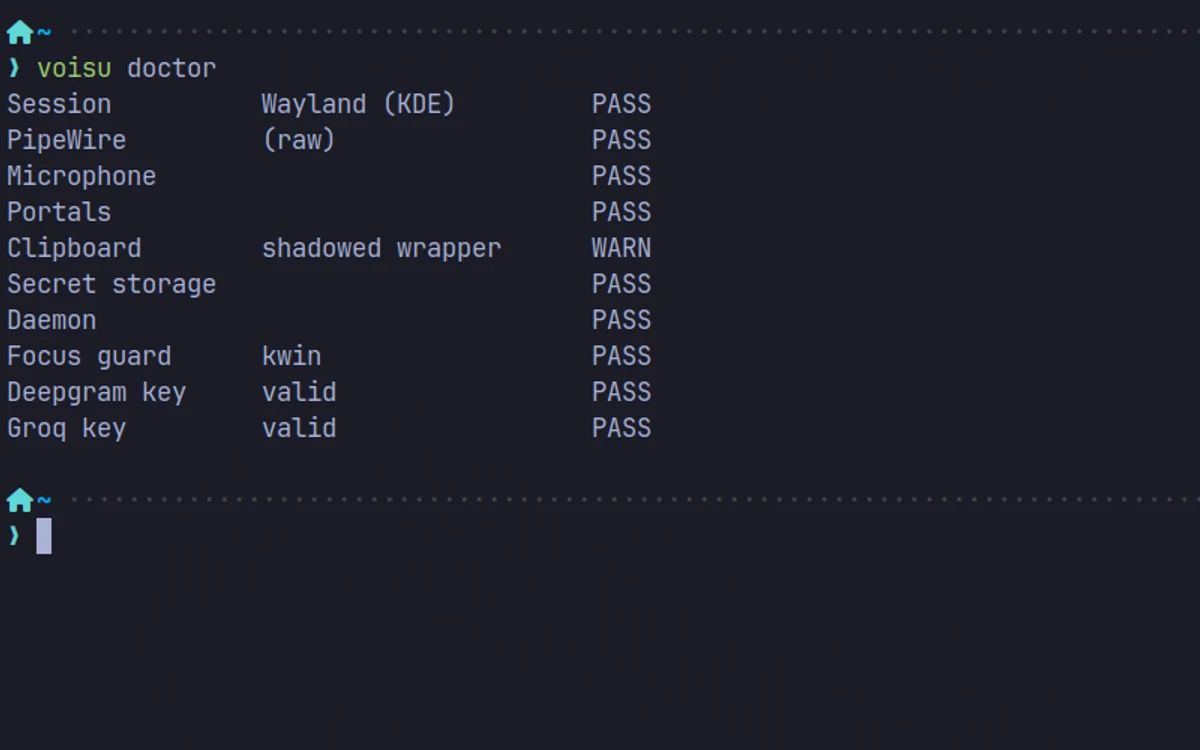
    Every way this fails is environmental and invisible: the wrong portal, a session on X11 when the overlay needs Wayland layer-shell, a missing clipboard backend, an expired provider key. A user cannot debug that and a stack trace would not help them. The doctor subcommand inspects the live environment and reports each capability as pass or warn in the user's own terms, with a verbose mode that shows the reasoning behind every line. Behind it sits real observability for a tool whose failures are hard to reproduce: recordings are kept with per-provider outcome and tail latency, each carries a correlation ID that can be exported whole, and a saved fixture can be replayed to reproduce a transcription without speaking it again.

CAPABILITIES

WHAT IT ACTUALLY DOES
  • Press the trigger key, speak, press again — the transcript lands in the focused window
  • Runs as supervised systemd user services, not auto-started until enabled
  • Global hotkey via the xdg-desktop-portal GlobalShortcuts interface
  • Text injection through the RemoteDesktop portal, with a clipboard fallback that always works
  • A focus guard that refuses to type into a window you have since left
  • Two transcription providers, switchable, with per-provider outcome and tail latency recorded